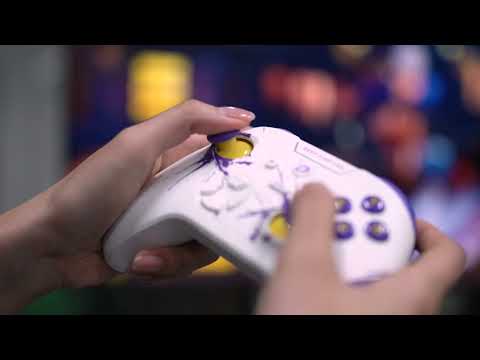
Features of Dareu H105 Gaming Controller In Bangladesh
Key Features
Three Connection Modes: Enjoy seamless connectivity with three options—wireless Bluetooth, 2.4GHz wireless, and wired USB. Easily switch between devices such as PC, console, or mobile.
Comfortable Design: Ergonomically designed for a comfortable grip, allowing you to play for hours without discomfort.
Stylish Black Finish: The classic black color adds a touch of elegance to your gaming gear.
Responsive Controls: Equipped with responsive buttons and precision analog sticks for accurate control and quick reactions in any game.
Long Battery Life: The rechargeable battery provides extended playtime, so you can game longer without interruptions.
Easy Setup: Plug-and-play functionality with most devices. No drivers are needed for a hassle-free gaming experience.
How to Maintain the Dareu H105 Black Game Pad
1. Keep It Clean
- Regular Wiping: Use a soft, dry cloth to wipe the surface of the game pad regularly. For sticky areas, use a slightly damp cloth, but avoid getting moisture into the internal components.
- Avoid Liquids: Prevent any liquid from coming into contact with the game pad to avoid damage.
2. Check Battery Health
- Recharge Properly: Fully charge the game pad before use and avoid letting the battery completely drain to extend its lifespan.
- Use Correct Charger: Always use the recommended charger and cable to prevent damage to the battery and internal parts.
3. Store Properly
- Cool, Dry Place: Store the game pad in a cool, dry location when not in use. Avoid extreme temperatures and high humidity to prevent damage.
- Protect from Sunlight: Keep the game pad out of direct sunlight to avoid discoloration and damage.
4. Avoid Physical Damage
- Handle with Care: Avoid dropping or banging the game pad. Gentle handling will help prevent mechanical issues and damage.
- Guard Ports and Connectors: Protect ports and connectors from dust and debris. Cover them if possible when not in use.
5. Update Firmware
- Check for Updates: Look for firmware updates that may improve performance or fix bugs. Follow the manufacturer’s instructions to keep your game pad up to date.
6. Regular Use
- Maintain Functionality: Use the game pad regularly to keep the buttons and analog sticks in good working condition. Inactivity may lead to mechanical issues.
What is the price of Dareu H105 Gaming Controller In Bangladesh?
The price of Dareu H105 Gaming Controller not mentioned for stock unavailability.The price may vary due to your customization and product availability.
You can buy Dareu H105 Gaming Controller from our website or visit our showrooms nearby.
Looking to purchase office, corporate, or institutional equipment? Ryans Computers is here to help. We provide customized solutions tailored to your needs, backed by fast delivery and dependable after-sales service. Our expert Ryans Care team is always ready to support you with troubleshooting, technical assistance, and configuration services—so you can focus on what matters most.